Over the weekend I got inspired to try Stitch, a vibe-design tool that helps people like me who struggle to land a solid color scheme from scratch. I have been catching up on One Piece lately, and the rebellious, lab-coat energy of Dr. Vegapunk’s aesthetic really grabbed me. I used that as a starting point, layered in some Iron Man vibes, and pushed it toward something unmistakably technical — because if you are reading this, that is exactly what you are going to get from me.
You might have reservations about AI, and honestly, I get it. RAM prices are up, every product launch has “AI-powered” stamped on it, and the hype is exhausting. But after years of working with it, one thing has stayed true: whenever I ask AI to do something creative, I am still the one who has to shape the result. Creativity and judgment are human. The design you see here was AI-assisted, but I reviewed every decision, pushed back constantly, and steered it the whole way.
That is how I think about AI — it augments my workflow, it does not run it.
So what is new?
A dedicated light and dark mode toggle
The color theme now actually means something, rather than being thrown together. Previously I was modelling it after Girlfriend Girlfriend, which had a heavy triangle motif in its intro . At the same time, I got a bit obsessed with black and red. Dark mode looked great; light mode looked like a paint explosion due to the anime. They never felt like two sides of the same coin.
Now they are. Every dark and light color is a deliberate counterpart to the other. There is also a dedicated toggle with three states: light, dark, and system — which just follows whatever your OS is set to.
A refreshed theme
The theme is an evolution of what I had before, pushed further toward the direction I always wanted: futuristic, technical, unmistakably computer-brained. This is just the start — the site will keep evolving.
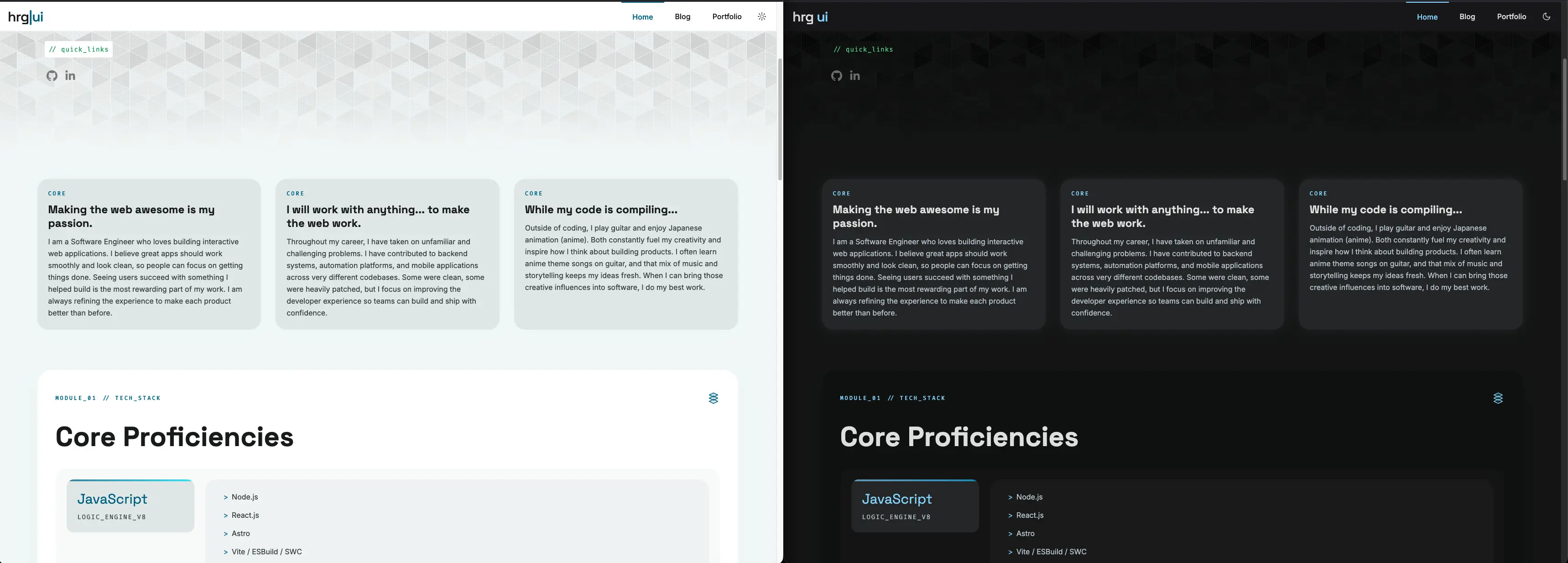
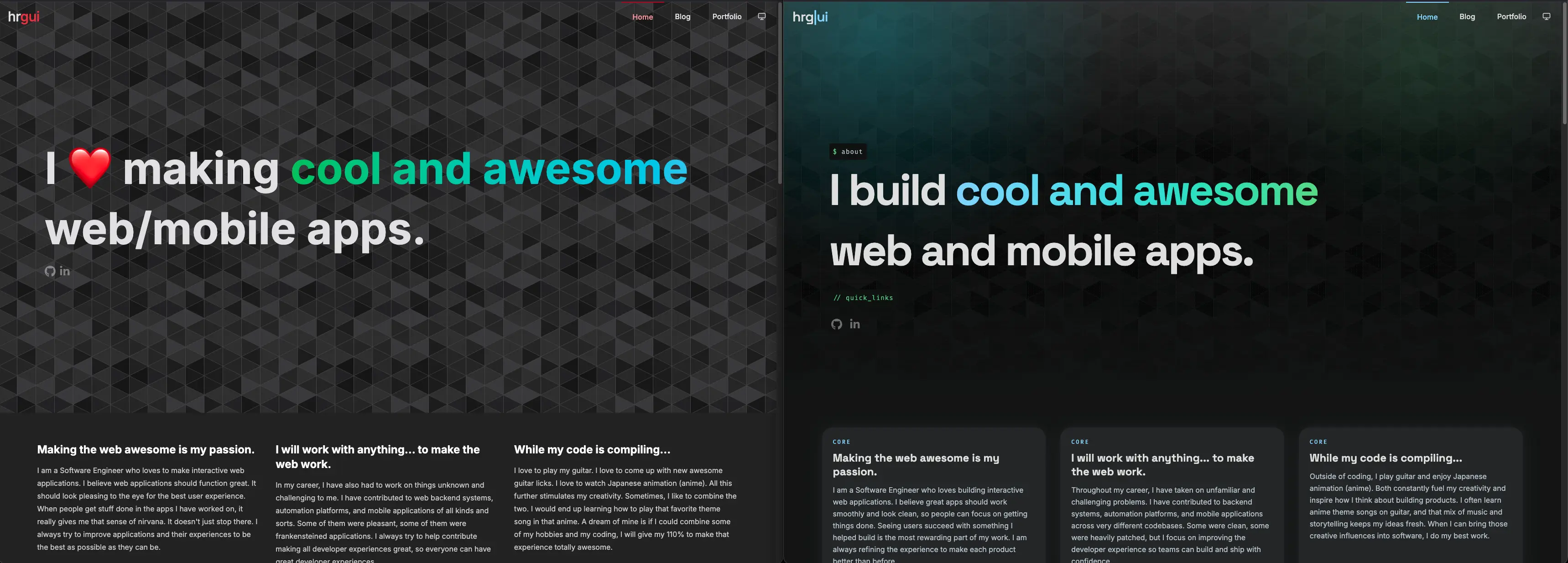
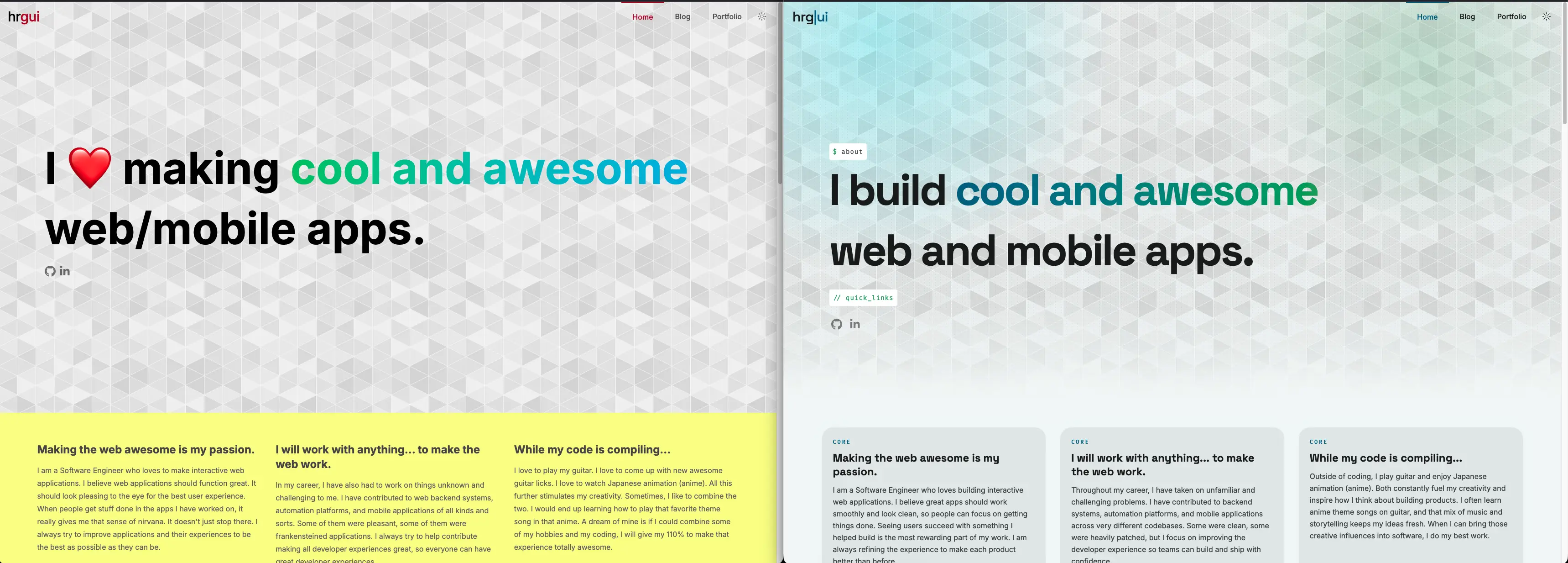
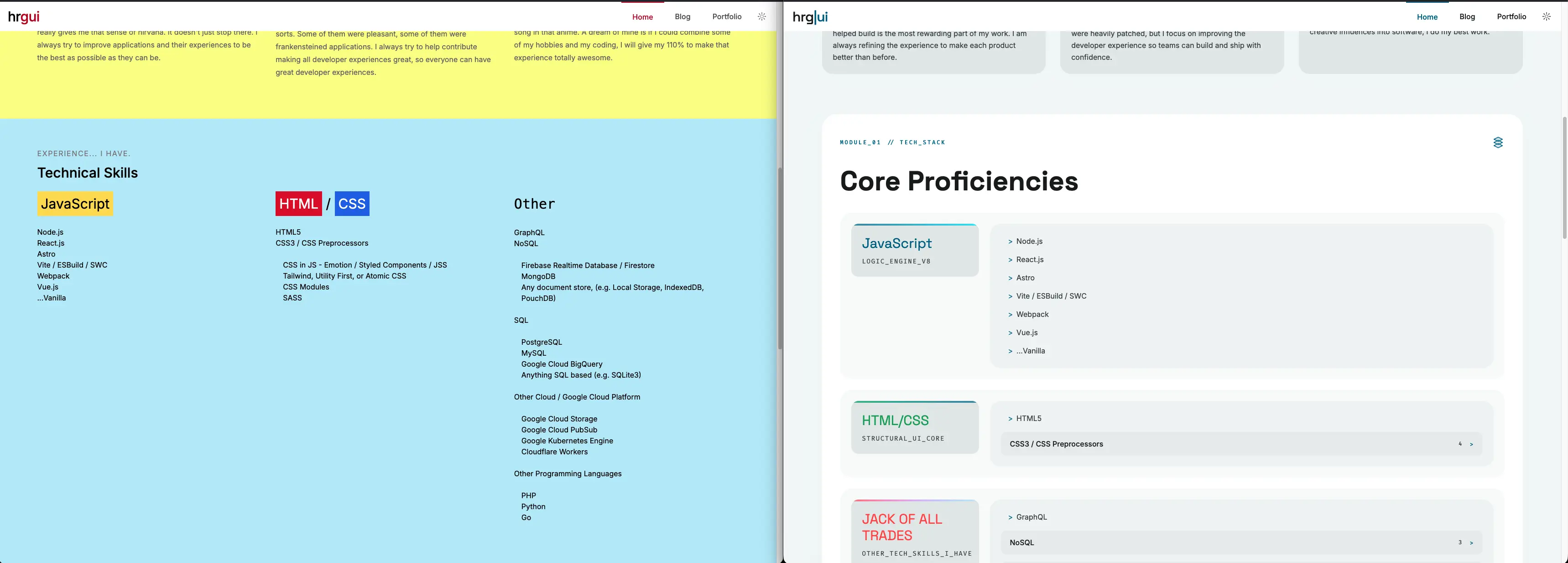
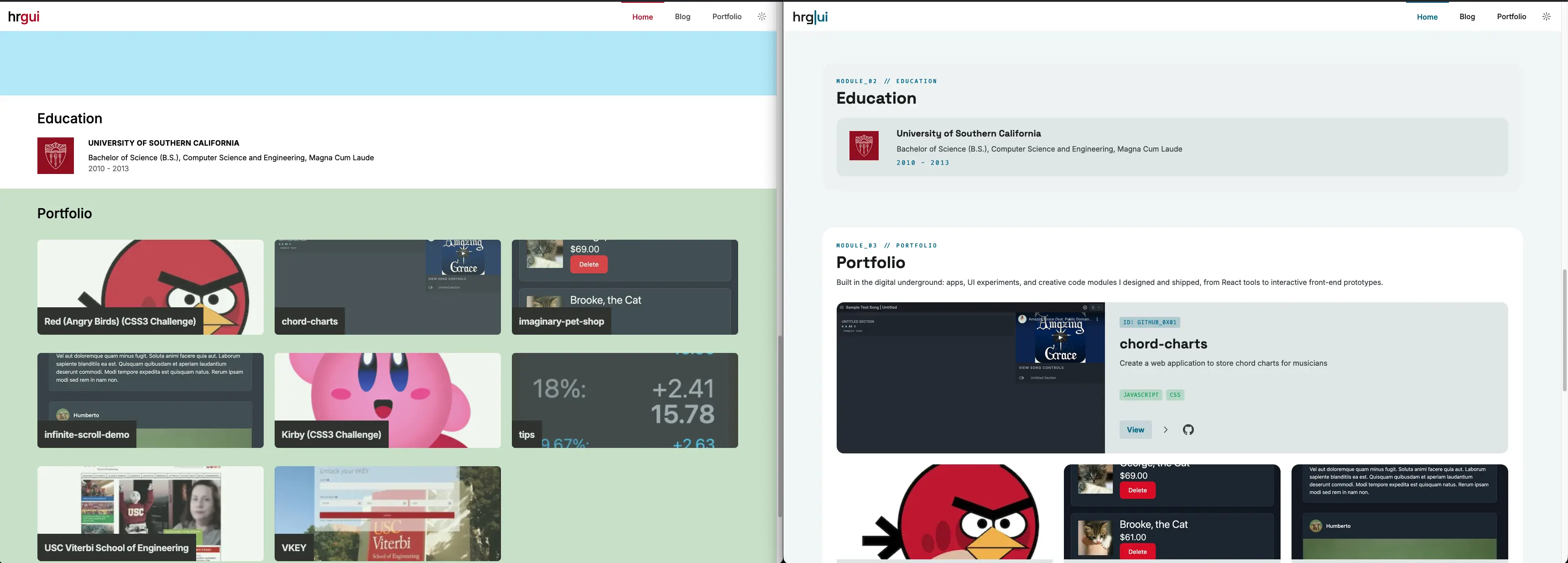
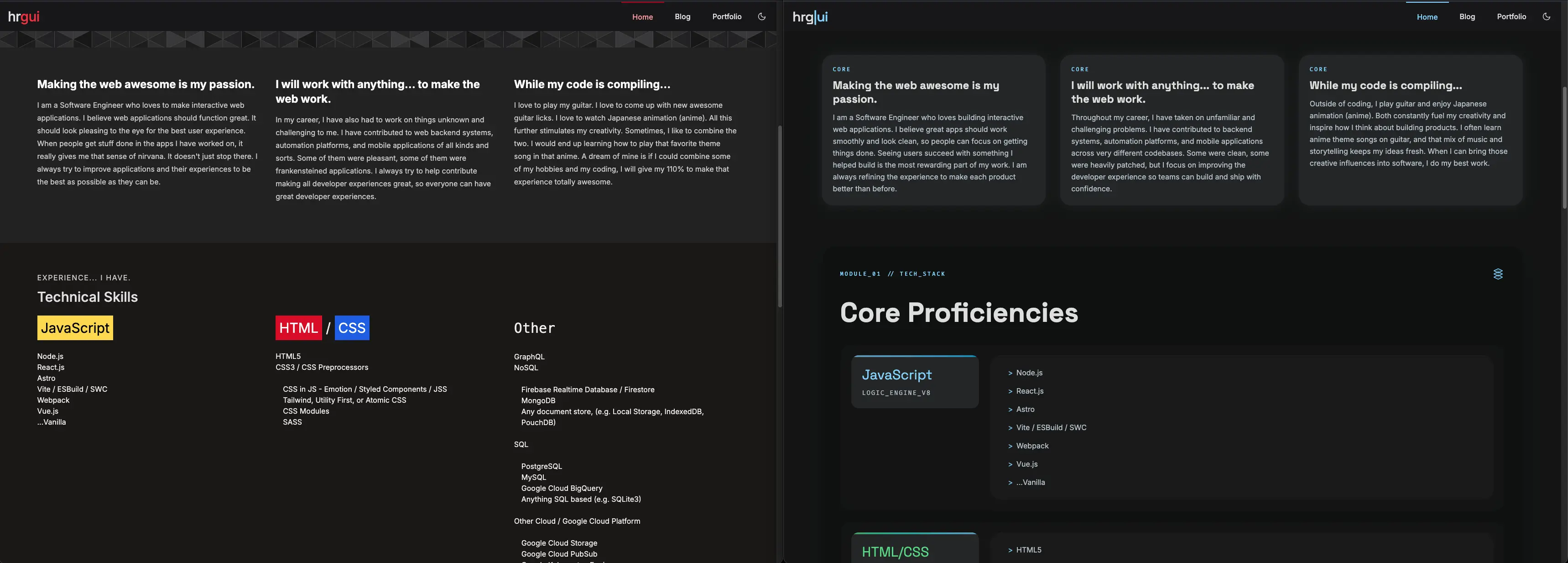
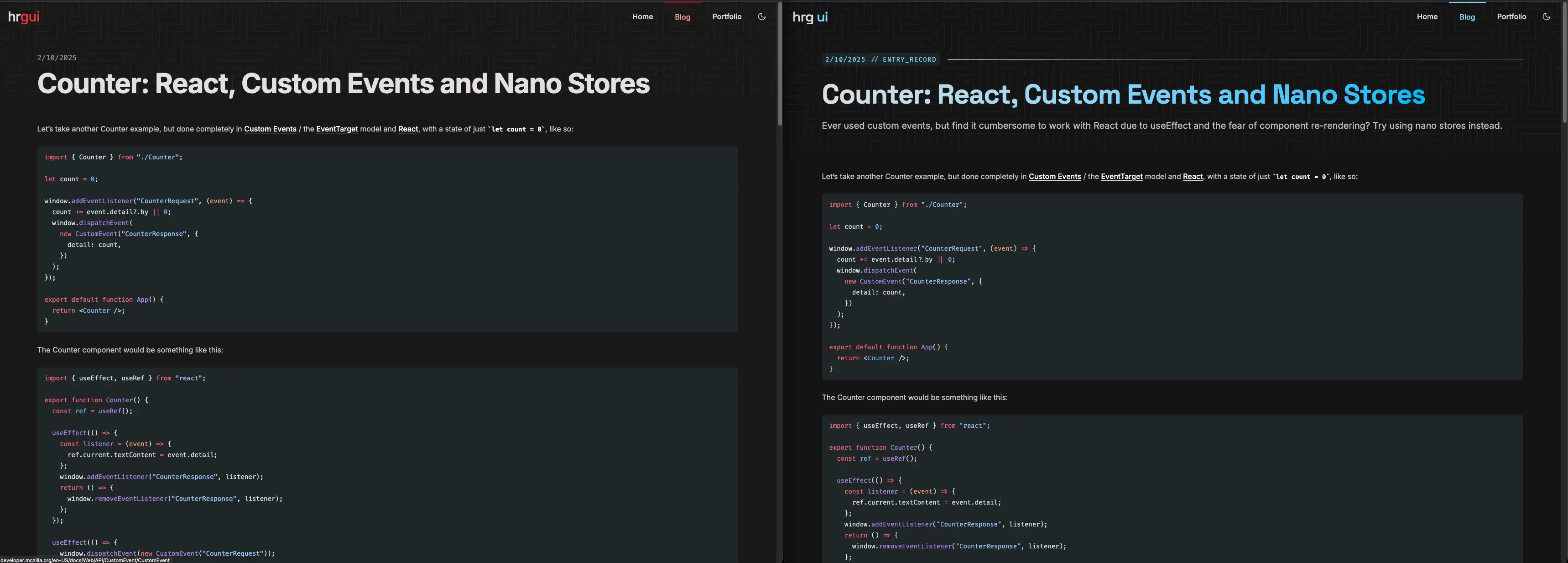
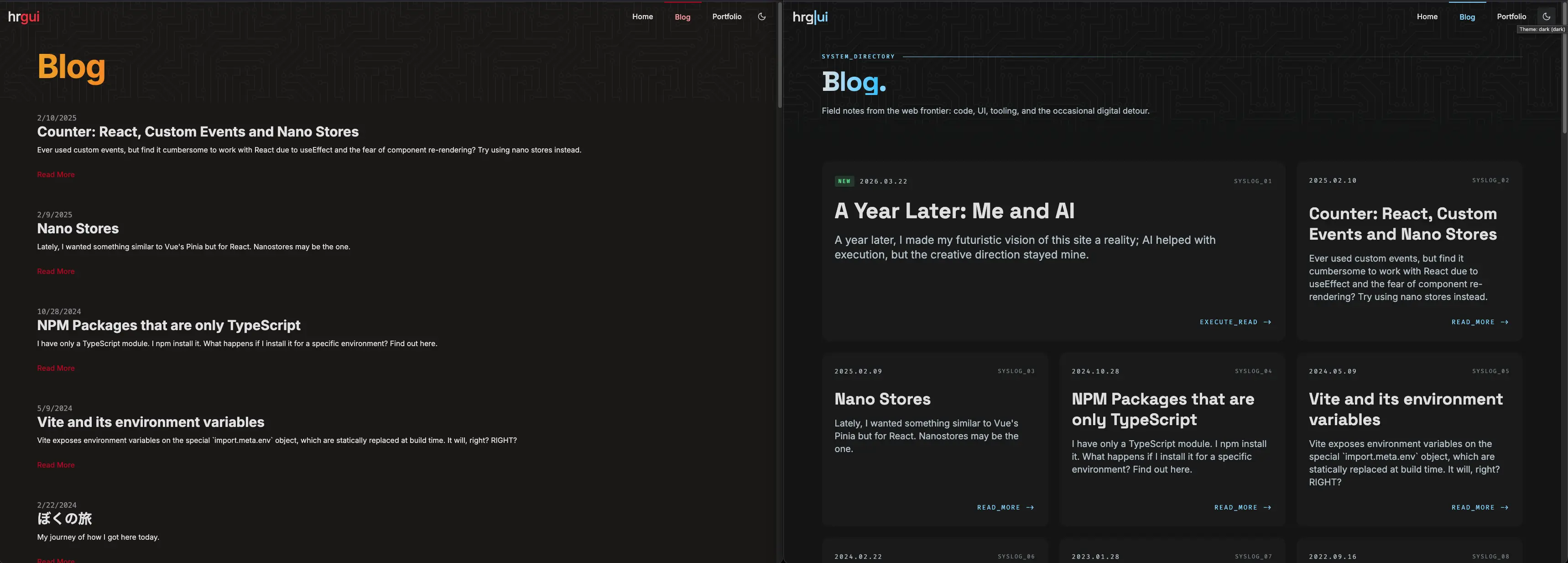
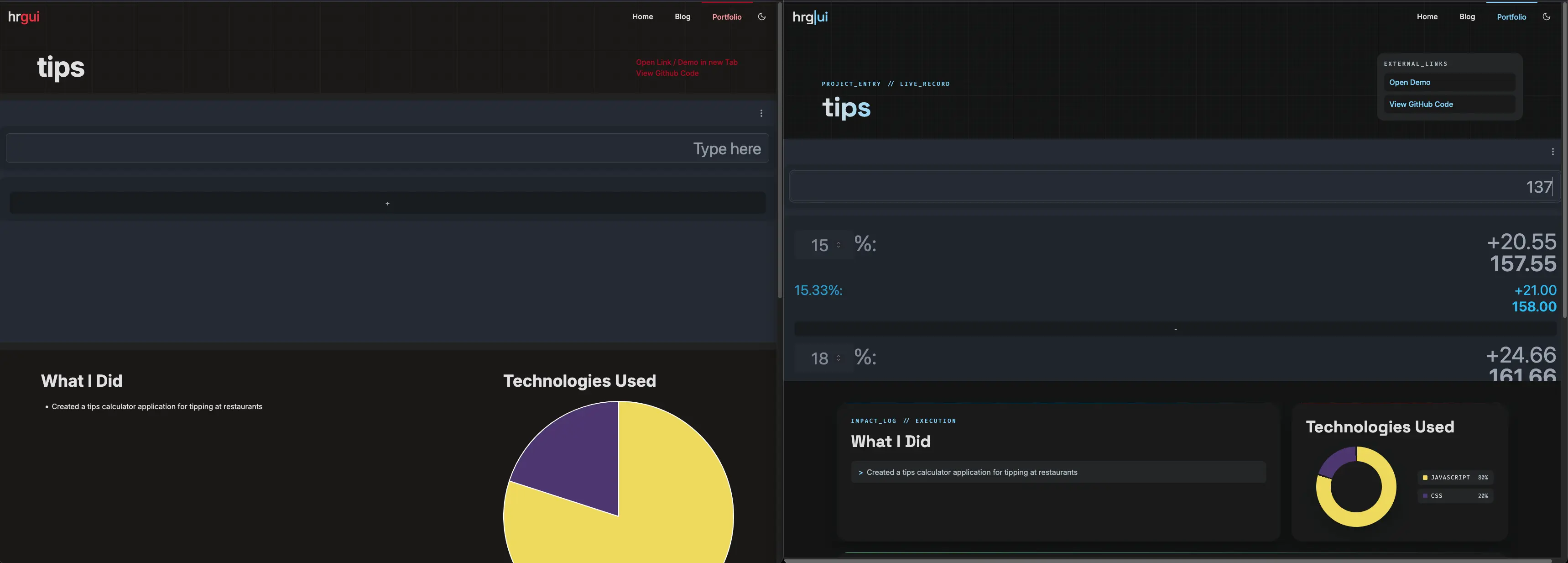
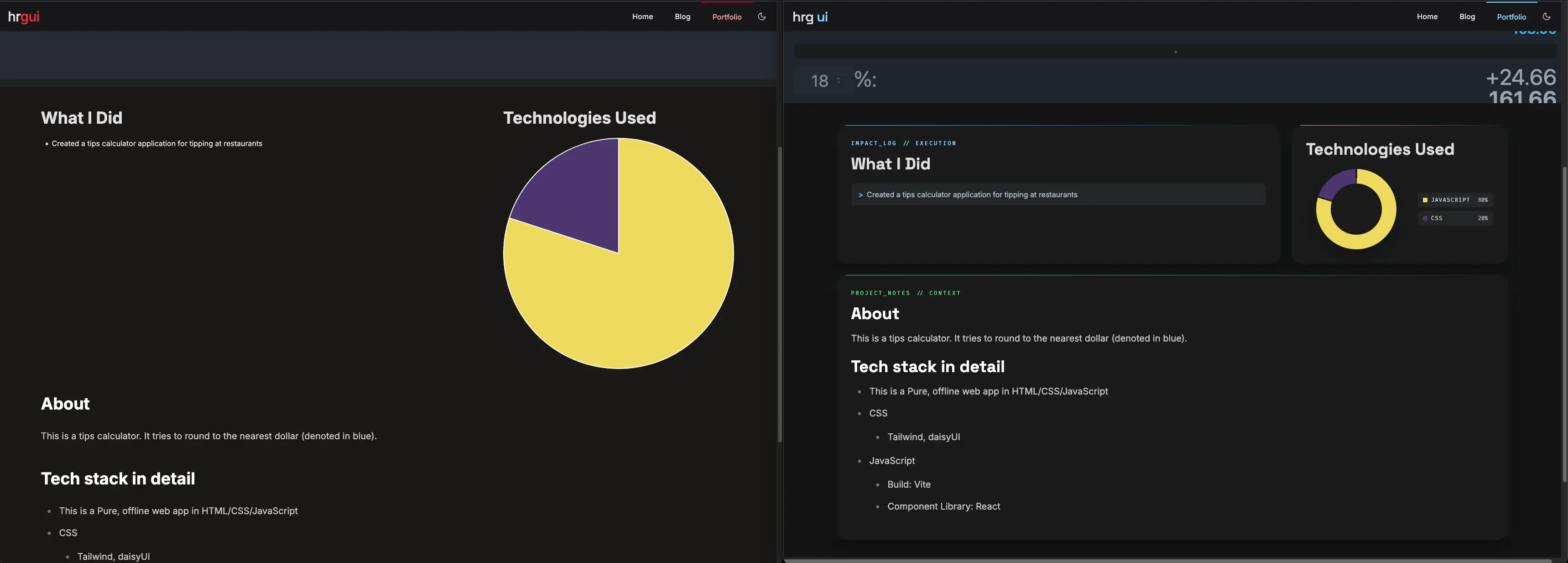
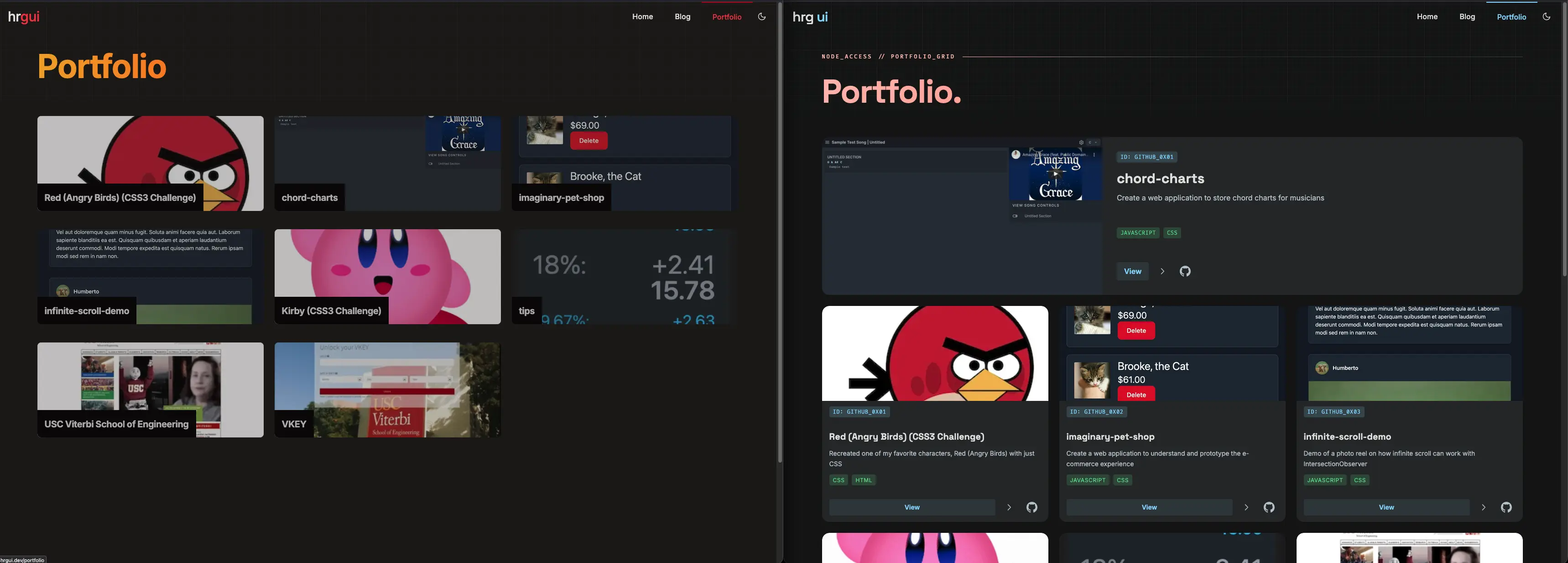
Home page before and after
Before and after comparisons of the 2026 redesign
Getting there was not painless. Stitch kept refusing to output a proper 1:1 light and dark mode, which drove me up the wall. But what it did give me was a solid foundation — a “Copy to Clipboard” export that generates an HTML page with Tailwind 4 baked in, which I used as a starting point.
I do not actually use Tailwind, though. I use unocss. Tailwind is opinionated by design — CSS Variables everywhere, layers everywhere, and good luck trying to opt out of any of it. That level of opinion is limiting when you need precise control.
With unocss I can target exactly what I need. That matters to me because I work across a lot of older platforms that people use every day without realizing they are web-based. I am always conscious of every byte of HTML, JS, and CSS that ships.
My take on AI
Yes, I use AI. But let me be clear about what that actually looks like: AI augments my workflow — it does not run it.
I will never, ever hand my workflow to AI and skip review. Every output gets checked by me before it ships.
I am in the loop at every step. I review the output, push back when something is off, and make the final call. My frustration is not with the tool itself: it is with the expectation that AI should replace creativity entirely. I have yet to encounter a piece of AI-generated art that stands on its own as something genuinely meaningful. Creativity is still human.
To me, AI is infrastructure: no different from a computer or an operating system. It helps me write faster, phrase things more clearly, and stay in flow when I sit down with my morning cup of tea. It handles the mechanical parts so I can spend more energy on the parts that actually need a human.
AI is not here to replace people. It is here to work alongside them. The sooner we treat it that way, the better we will all get at using it well.